 Crafting Core
 Pedestal
 Crafting Tables
 Quantum Compressor
 Ender Crafter
 Ender Alternator
 Auto Ender Crafter
 Flux Crafter
 Flux Alternator
 Handheld Crafting Table
 Singularity
 Recipe Maker
 Auto Crafting Tables
Added in version 2.0.1Overview
The Auto Crafting Tables provide automation abilities to .
Usage
With enough energy, the Table will automatically move the output item into a second slot which can be extracted from using any item transfer mechanisms, such as a Hopper. This functionality can be toggled on or off by clicking on the downward facing arrow between the two output slots.
To set up a recipe for automation, you'll first need to set a recipe. This is done by placing the items into the grid as normal, then shift-left-clicking on one of the 3 recipe slots in the top left. Once it is saved you can then select or deselect that recipe by left-clicking. Shift-left-clicking on a saved recipe will delete that saved recipe.
Placing a Chest on top of the Table with a recipe selected will enable the auto-insert functionality. The Table will use some energy to pull any items from the Chest that can be used in the selected recipe.
Screen Overview
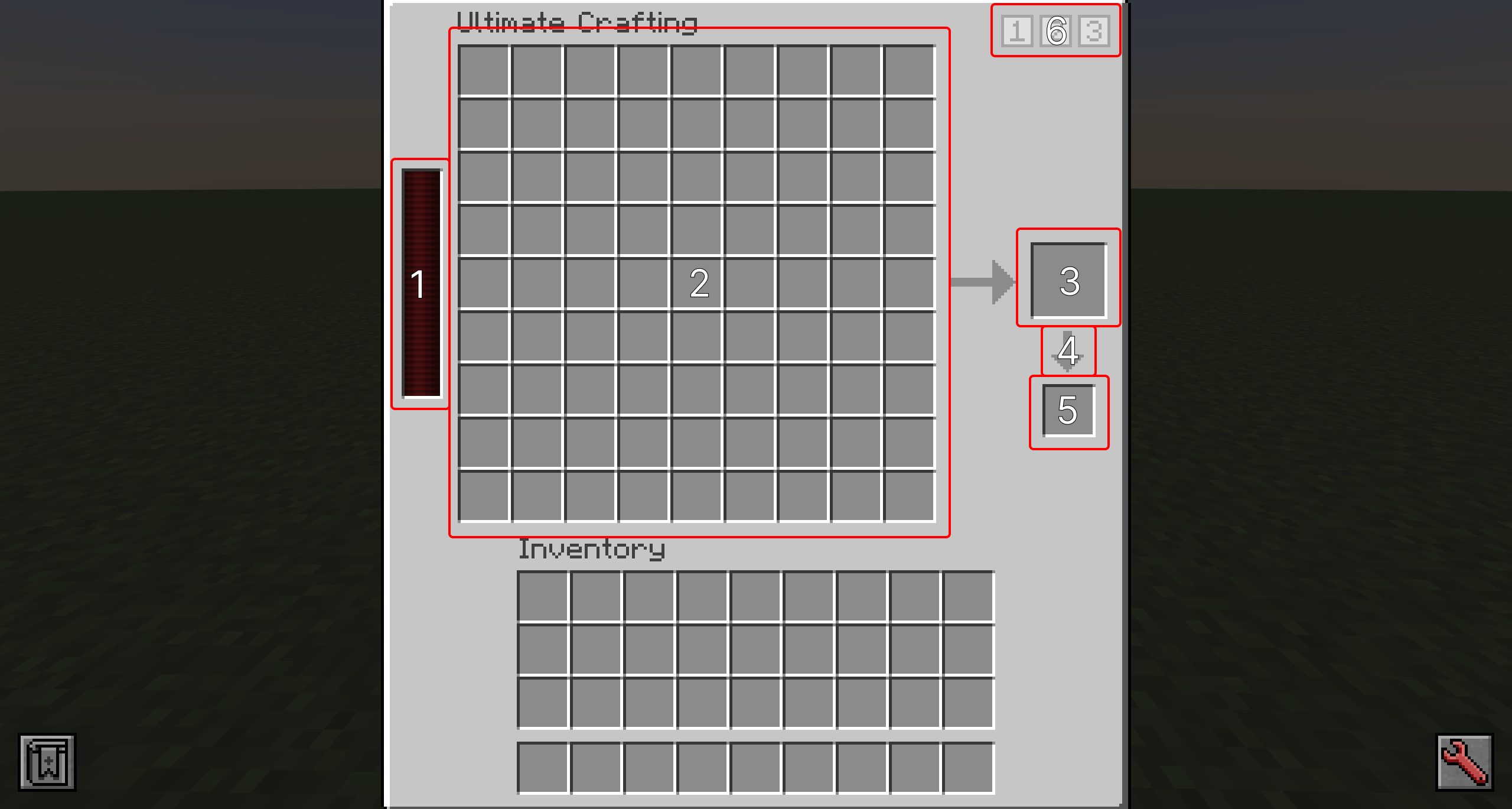
- Energy Bar: Displays the amount of energy this block contains.
- Crafting Grid Slots: Place the input ingredients here.
- Output Slot: The recipe output will appear here.
- Auto-Output Toggle: Click this icon to toggle auto-crafting on or off.
- Auto-Output Slot: The recipe output will be moved to this slot, allowing it to be extracted via item transfer methods.
- Saved Recipe Selectors: Shift-click on one of these icons to save the pattern in the Crafting Grid. Click on the icon to select the recipe. Shift-clicking on a saved recipe will delete it.
